
What are the motion sickness dots, and do they work?
The motion sickness dots are small markers at the edges of a phone screen that move with the vehicle, so your eyes see the motion your inner ear already feels; Apple calls its version Vehicle Motion Cues and Google calls its Android version Motion Assist. The table below holds all 11 rows, checked on September 25, 2026. As of late September 2026, every major phone platform has a version: iPhone since iOS 18, Google's Motion Assist widely rolled out on Android 17 Pixels and arriving on One UI 9 Galaxys, and recent OnePlus, OPPO, vivo and Honor phones with their own setting. Apple's original is covered in full on the Vehicle Motion Cues page, and the Galaxy wave was confirmed by SamMobile and 9to5Google in mid September 2026.
Key facts
- The motion sickness dots are Apple's Vehicle Motion Cues, an accessibility feature on iPhone since iOS 18, at Settings > Accessibility > Motion.
- Galaxy phones on One UI 9 with Android 17 are now receiving Google's Motion Assist, confirmed mid September 2026; One UI's own menus still have no Samsung-made toggle, so it appears under Google settings and the Quick Panel.
- Google's Motion Assist is widely rolled out on Android 17 Pixels as of mid September 2026, per 9to5Google. Delivery is staged through Play services, so a restart can make it appear.
- Recent OnePlus, OPPO, vivo and Honor phones ship their own version under their own names: Motion cues, Motion Cues, Motion prompts and Motion Sickness Relief. Xiaomi's Motion Sickness Reduction calms scrolling but draws no vehicle dots.
- The dots only work while you are looking at the screen, and they are prevention rather than rescue, so they do little once nausea has already started.
Prone to motion sickness? Dizzout works on any phone, no dots required. Drug-free sound through any headphones, with your eyes open or closed.Starts in your browser · works with any headphones
Get your personalized Dizzout plan. Paid subscription for full access.

On your phone? Scan to start there.
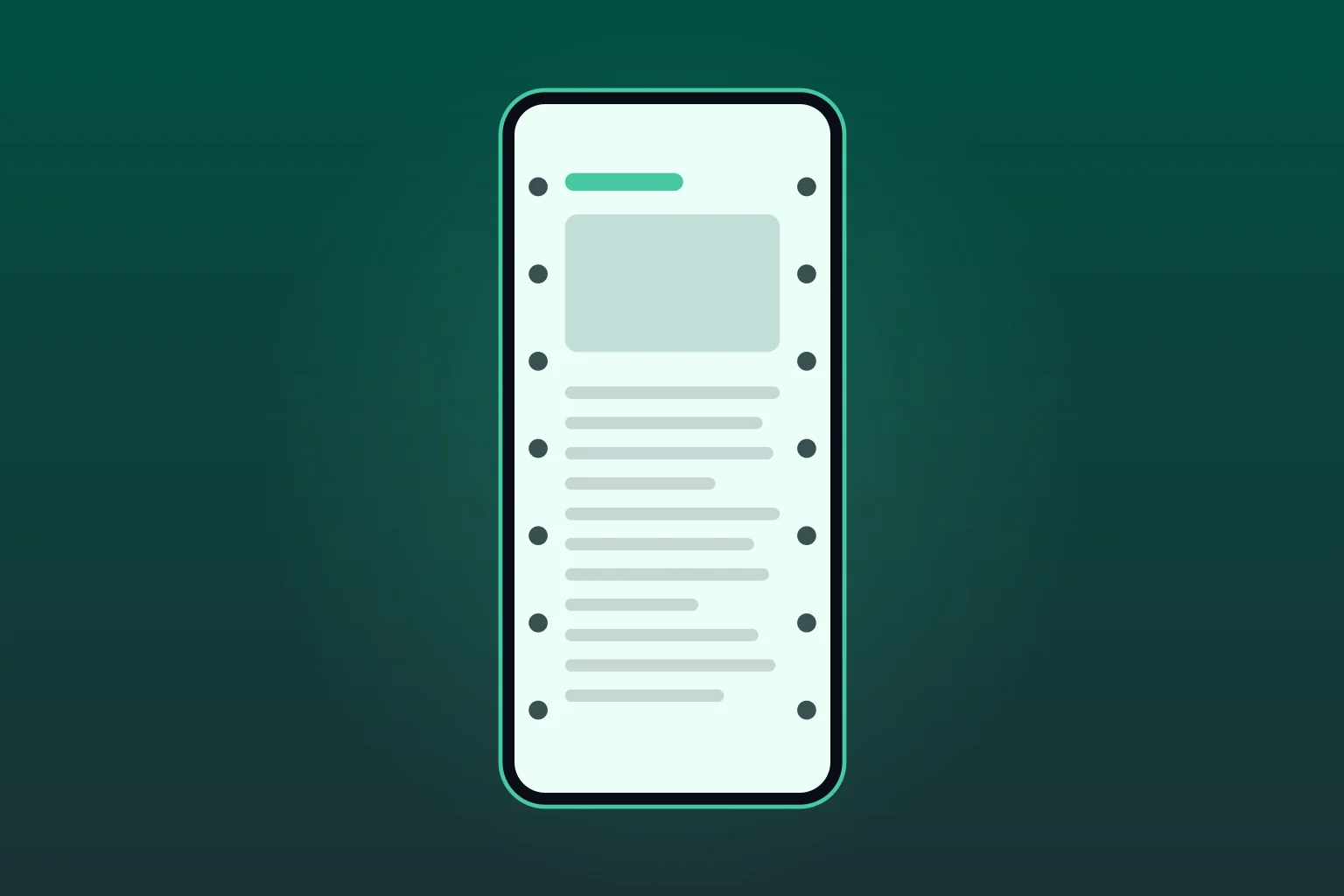
How to turn on the motion sickness dots on any phone
On a phone that has them, the dots switch on in a different menu on each brand: the Accessibility menu on iPhone, OnePlus and Honor, and the Google settings menu on Pixel and on Galaxy phones running One UI 9.
How to get motion sickness dots on iPhone
On an iPhone the dots are a setting you switch on. Open Settings, tap Accessibility, tap Motion, then tap Vehicle Motion Cues and choose Automatic. You need iOS 18 or later. On Automatic the dots appear only when the iPhone senses that you are in a moving vehicle, and disappear when it stops.
- Open Settings. You need iOS 18 or later.
- Tap Accessibility.
- Tap Motion.
- Tap Vehicle Motion Cues, then choose Automatic.
- Optional: add it to Control Center for a one-tap switch.
On Automatic the dots appear when the iPhone senses you are in a moving vehicle and disappear when it stops. If the menu item is not there, or it is on and nothing shows up, the iPhone setting page covers which iPhones qualify and why the dots stay hidden. What the feature is doing in the first place is on the Vehicle Motion Cues page.
Dots help you keep reading. If the nausea has already started, compare the motion sickness apps for iPhone, including the sound-based ones you use with headphones.
How to get motion sickness dots on Samsung
They are arriving now, through Google rather than Samsung. Google's Motion Assist is rolling out to Galaxy phones on One UI 9 with Android 17 since mid September 2026, so the check takes ten seconds: search Settings for motion assist, look for a Motion Assist tile in the Quick Panel, or go to Settings, then Google, then All services, then Personal & device safety. It needs Google Play services 26.33.32 or later, the rollout is staged, and it is not under Accessibility. On One UI 8 or earlier there is nothing to enable yet, and the Galaxy S22 and older are not getting One UI 9, so a third-party overlay app is the substitute for the visual effect, and for relief that does not depend on looking at the screen, sound is.
The check, step by step:
- Open Settings and search for motion assist.
- Nothing? Swipe down twice and look for a Motion Assist tile in the Quick Panel, or add it from the Quick Panel editor.
- Still nothing? Go to Settings, then Google, then All services, then Personal & device safety.
- Missing? Confirm One UI 9 (Android 17) with Google Play services 26.33.32 or later, restart once, and check again: the rollout is staged. It is not under Accessibility, because the feature comes from Google rather than One UI.
Samsung's own motion sickness product is Hearapy, a free app that uses sound rather than dots. On One UI 8 or earlier, a third-party overlay app is the substitute for the visual effect. Both routes are covered on the Samsung page.
How to get motion sickness dots on Android
It depends on the brand. Recent OnePlus, OPPO, vivo and Honor phones ship their own version under their own names, so search Settings for motion first. On Pixel and other Android 17 phones, Google's Motion Assist is widely rolled out as of mid September 2026: search Settings for motion assist, or check Settings, then your Google account profile, then All services, then Personal & device safety. Galaxy phones on One UI 9 are receiving the same feature now. If it has not reached your phone yet, an overlay app is the closest substitute.
On a Pixel or another Android 17 phone, Google's Motion Assist:
- Open Settings.
- Tap your Google account profile.
- Tap All services.
- Tap Personal & device safety.
- Tap Motion Assist.
- Turn on Start in a moving vehicle, or tap Add tile to Quick Settings.
- Missing? Search Settings for motion assist, update Google Play services, restart once and check again: the rollout is staged.
On a OnePlus, Motion cues:
- Open Settings.
- Tap Accessibility & convenience.
- Tap Motion cues.
- Turn it on. It is on OxygenOS 16 and later, on supported models.
On OPPO and vivo, search Settings for motion: neither maker has published a menu path we could verify for every model. On Honor it is Settings, then Accessibility features, then Motion Sickness Relief.
On any Android phone without it, you have two routes. An overlay app such as the KineStop app draws similar moving cues while you read, which copies the dots and copies their limits. Or you skip the screen entirely and use sound, which is what Dizzout does. Options compared on the Android page and the Pixel page.
Followed the steps and still no dots? The dots not working guide matches what you see to the cause: the silent Automatic wait, the staged Motion Assist rollout, and the phones where there is nothing to fix.
Dots not enough, or your phone does not have them?
Dizzout works on any phone, no dots required. Drug-free sound through any headphones, with your eyes open or closed.
Get your personalized Dizzout plan. Paid subscription for full access.
Phone with nothing to turn on? The browser version of the dots draws them from your phone's own motion sensor, inside the page, on any phone, with nothing to install.
Which phones have the dots
Feature names differ by brand, which is why searching your own settings for “motion sickness” usually turns up nothing. Here is every platform in one place, checked on September 25, 2026.
| Device | Feature name | Since | Where to find it | Has the dots? |
|---|---|---|---|---|
| iPhone and iPad | Vehicle Motion Cues | iOS 18 and later | Settings > Accessibility > Motion > Vehicle Motion Cues | YesSet it to Automatic and the dots show up when the phone senses vehicle motion. You can also add a Control Center toggle. |
| Samsung Galaxy | No separate One UI feature; Google Motion Assist is rolling out on One UI 9 | Rolling out since mid September 2026 on One UI 9 (Android 17) with Play services 26.33.32 or later | Settings > your Google account profile > All services > Personal & device safety > Motion Assist | Arriving now through Google Motion Assist on One UI 9Samsung's own accessibility list still has no motion-cues toggle; the dots come from Google. Confirmed rolling out to One UI 9 Galaxys in mid September 2026 (SamMobile, 9to5Google), SamMobile listed the S26 FE, Z Flip 8, Z Fold 8 and Z Fold 8 Ultra as eligible in the first wave and had it running on its own S26 Ultra. Search Settings for motion assist or check the Quick Panel; a restart can make it appear. Hearapy remains a separate sound app, not a dots feature. |
| Google Pixel and eligible Android 17 phones | Motion Assist through Google Play services | Android 17 and later, with updated Google Play services | Settings > your Google account profile > All services > Personal & device safety > Motion Assist | Yes, widely rolled out on Android 17Motion Assist draws small bubbles using vehicle-sensor data, can start automatically in a car, adds a Quick Settings tile, and offers appearance controls. It arrives through Google Play services and was widely rolled out on Android 17 Pixels by mid September 2026, per 9to5Google; the Play services v26.37 release on September 21, 2026 took it beyond Pixel. A freshly updated phone may still need a restart. |
| OnePlus | Motion cues | OxygenOS 16 and later, from October 2025 | Settings > Accessibility & convenience > Motion cues | Yes, on supported modelsDebuted on the OnePlus 15, then reached the OnePlus 13s, OnePlus 12 and the Nord 6 series by update. Older models may not have it. |
| OPPO | Motion Cues | ColorOS 16 and later, from October 2025 | Search Settings for motion. OPPO has not published a menu path we could verify for every model. | Yes, on supported modelsShips on the Find X9 Pro. Whether another OPPO has it depends on the model and its ColorOS 16 build. |
| vivo | Motion prompts | OriginOS 6 and later, from October 2025 | Search Settings for motion. vivo has not published a menu path we could verify for every model. | Yes, on supported modelsShips on the vivo X300 and X300 Pro. Dots mirror the vehicle's motion at the screen edges. |
| Honor | Motion Sickness Relief | MagicOS 9 and later, from December 2024 | Settings > Accessibility features > Motion Sickness Relief | Yes, on supported modelsArrived with the Honor 300 series in China and went international with MagicOS 9 in 2025. The Honor 400 series, Magic7 series and Magic V5 have it. |
| Xiaomi, Redmi and POCO | Motion Sickness Reduction | HyperOS 3.1, from January 2026 | Search Settings for motion. Xiaomi has not published a menu path we could verify for every model. | Partly: it calms scrolling, no vehicle dotsA scrolling comfort setting rather than dots that follow the vehicle. For vehicle dots, look for Google's Motion Assist once the phone runs Android 17. |
| Motorola | No Motorola setting; Google Motion Assist with Android 17 | Android 17 with updated Google Play services; Motorola began releasing Android 17 in August 2026 | Search Settings for motion assist once the phone runs Android 17 | Not built in; arrives with Android 17Motorola has confirmed Android 17 for more than 50 phones. No report yet confirms Motion Assist on a specific Motorola model, so check Settings after the update. Row added and checked on October 4, 2026. |
| Android 16 and earlier, or unsupported devices | No Google Motion Assist | Requires Android 17 or later | Use a third-party visual-cue app | No built-in Google optionGoogle's Motion Assist requires Android 17 and updated Google Play services. Unsupported phones still need an app such as KineStop for comparable on-screen cues. |
| Mac laptops | Vehicle Motion Cues | macOS Tahoe 26 and later | System Settings > Accessibility > Motion > Vehicle Motion Cues | Yes, on supported MacBook modelsApple's Mac guide says it is not available on MacBook Neo, the M1 MacBook Air, the 13-inch M1 MacBook Pro or earlier models. It works best seated facing forward. |
Scroll the table sideways on a narrow screen. Feature availability changes with software updates, so the settings menu on your own phone is always the final word. Every launch behind these rows is dated and sourced on the motion sickness tech news page.
The Galaxy column changes weekly while One UI 9 spreads: as of October 15, 2026, our One UI 9 rollout tracker follows which Galaxy models have the dots today and which dates Samsung has published.
Check your phone
Checking your device…
Do the dots actually help?
They aim at a real mechanism. Reading in a moving car makes your eyes report a still page while your inner ear reports movement, and that disagreement is what turns your stomach. The dots put the car's motion back into your field of view, which is a small, portable version of looking at the horizon, the best-evidenced free fix there is. If your trigger is scrolling in the back seat, they are worth switching on.
Here is what they do not do. They stop helping the moment you look away from the screen, so they are no use with your eyes closed or your head against the window. They are prevention, not rescue: once nausea has taken hold, dots on a screen rarely bring you back. And they only address the screen. On a boat, a plane, a roller coaster or in VR, the thing making you sick is not your phone, so the phone cannot fix it. No independent published trial has tested Apple's implementation, which is another reason to file the feature under free and sensible rather than settled.
That gap is where a sound-based approach fits. It does not need your eyes on anything, it travels to vehicles the dots never reach, and it is built to be used once you already feel queasy. More on why looking at your phone in the car sets this off.
Prepare without staying on the screen
Phone settings do not replace looking up and taking a break. If you want to try Dizzout, prepare your headphones while safely seated as a passenger.
Free to download. Paid subscription for full access.
30,000+ travelers in 30+ countries · How we count

On your phone? Scan to start there.
Comparing apps first? See how the motion sickness apps compare

Frequently asked questions
Does Samsung have motion sickness dots?+
Yes, arriving now, through Google rather than Samsung. One UI's own accessibility menus still have no motion cues toggle, but Google's Motion Assist is rolling out to Galaxy phones on One UI 9 with Android 17, confirmed by SamMobile and 9to5Google in mid September 2026, first wave including the S26 FE, Z Flip 8, Z Fold 8 and Z Fold 8 Ultra. On an eligible Galaxy, search Settings for motion assist or check the Quick Panel. Samsung's own product remains Hearapy, a free app that uses sound instead of visuals.
What are the dots on iPhone for motion sickness?+
They are Vehicle Motion Cues, an accessibility feature Apple added in iOS 18. Small animated dots sit around the edge of the screen and move with the car: side to side when it turns, forward and back when it speeds up or brakes. That gives your eyes a motion signal matching what your inner ear feels, which is the mismatch that makes reading in a car unpleasant. Find it at Settings, then Accessibility, then Motion.
Are the anti nausea dots the same as the motion sickness dots?+
Yes. Anti nausea dots, anti nausea display dots and motion sickness dots all describe the same feature: small on-screen markers that move with the vehicle to cut the mismatch between what your eyes see and what your inner ear feels. Apple's name for it is Vehicle Motion Cues, OnePlus, OPPO, vivo and Honor each use their own menu wording, and Google calls its Android version Motion Assist, widely rolled out on Android 17 Pixels and now arriving on One UI 9 Galaxys as of mid September 2026. Whatever the name, the table above shows which phones actually have it.
Is there a motion sickness mode on iPhone?+
Yes, though Apple does not call it a mode. The feature is Vehicle Motion Cues, under Settings, then Accessibility, then Motion, with three options: On, Off and Automatic, which shows the dots only when the iPhone senses a moving vehicle. It needs iOS 18 or later. iOS 26 added a Customize Appearance option in the same menu for the dots' size, color, count and animation, and you can add a Vehicle Motion Cues button to Control Center to switch it without opening Settings.
How do motion sickness glasses work?+
Motion sickness glasses are lensless frames with liquid-filled rings. The liquid sloshes with the vehicle, which puts an artificial horizon at the edge of your vision so your eyes get a motion signal that agrees with your inner ear. The idea borrows from the real horizon, which is well supported, but the one placebo-controlled trial found the glasses no better than identical frames with the liquid removed. The dots on your phone are a free version of the same idea; our verdict on the glasses is at /motion-sickness/remedies/motion-sickness-glasses.
Do the dots help if I am not looking at the phone?+
No. The dots only work while the screen is in your field of view, so they do nothing with your eyes closed, your head against the window, on a boat, in a plane seat or on a ride. For those moments a sound-based approach fits: Dizzout plays precisely calibrated audio through any headphones, works with your eyes closed and on any phone, and Dizzout states relief in about 90 seconds.
Do the motion sickness dots work?+
For the specific problem they target, many people find they help. Reading in a moving car makes your eyes report a still page while your inner ear reports movement, and the dots put the vehicle's real motion back into your field of view. Two honest limits: they only work while you are looking at the screen, and they are prevention rather than rescue, so they do little once nausea has already set in. No independent published trial has tested Apple's implementation, so the fair reading is free and sensible rather than proven.
This content is for general information only and is not medical advice. Dizzout is a wellness app and is not intended to diagnose, treat, cure or prevent any condition. Speak to a doctor if symptoms are severe or persistent.
Related guides
- Vehicle Motion Cues, in fullApple's version end to end: what it does, and whether it works.
- The iPhone setting, step by stepFour taps to the dots, the Control Center toggle, and what to do when the menu item is missing.
- Every phone's setting, comparedWider than the dots: which phones have any motion sickness setting at all.
- Check your phone modelThe dots answer model by model: Galaxy S and A series, Pixel, OnePlus and more.
- Looking at your phone in the carWhy the screen is the trigger, and how holding it higher changes what you feel.
- The car sickness appRoad-trip picks for both platforms, starting with where the passenger sits.
Sources
- 9to5Mac, December 3, 2025: the Customize Appearance option for Vehicle Motion Cues in iOS 26
- 9to5Google, September 14, 2026: Motion Assist widely rolled out on Pixels and arriving on Samsung Galaxy
- SamMobile, September 15, 2026: Motion Assist released for Galaxy phones on One UI 9
- Android Authority, September 21, 2026: Play services v26.37 takes Motion Assist beyond Pixel phones
Checked .
Feature availability checked on September 25, 2026 against the makers' own documentation and dated reporting; settings menus and supported models change with software updates. Apple, iPhone, Mac, Vehicle Motion Cues, Samsung, Galaxy, Hearapy, Google, Pixel, Motion Assist, OnePlus, OPPO, vivo, Honor, Xiaomi and KineStop are trademarks of their respective owners, and Dizzout is not affiliated with or endorsed by them. This page is informational and is not medical advice.