
Euro Truck Simulator 2 Motion Sickness: Why It Happens & What Helps
Euro Truck Simulator 2 can get people before they even drive: the main menu background pans slowly enough that players have reported queasiness from the menu alone on the official SCS forum. In the cab the fixes are real and complete. Physical Camera Movement in the gameplay camera settings switches off the seat sway entirely, and the field of view hides in a place almost nobody looks: the F4 seat adjustment menu, changed with the N and M keys. Checked September 2026.
The quick fix: Turn off physical camera movement in Euro Truck Simulator 2 (Options > Gameplay, camera settings).
Still queasy with physical camera movement off? Dizzout runs on your phone: pause, move your headphones over and press play, with relief in about 90 seconds.Starts in your browser · works with any headphones
Calm game nausea. Get your personalized Dizzout plan. Paid subscription for full access.

On your phone? Scan to start there.
PC (Windows, macOS, Linux) · first-person cab · Has comfort settings · Player-reported motion-sickness risk: commonly reported by motion-sensitive players.
- Low
- Moderate
- High
- Very high
Risk levels summarise what passengers and riders commonly report, not measured testing.
Key facts
- Euro Truck Simulator 2 runs on PC (Windows, macOS, Linux).
- The camera is first-person cab.
- Player reports place it in the moderate band for motion sickness.
- The game ships a full set of comfort settings.
- 3 specific settings are listed on this page, starting with Physical Camera Movement.
Why Euro Truck Simulator 2 can trigger motion sickness
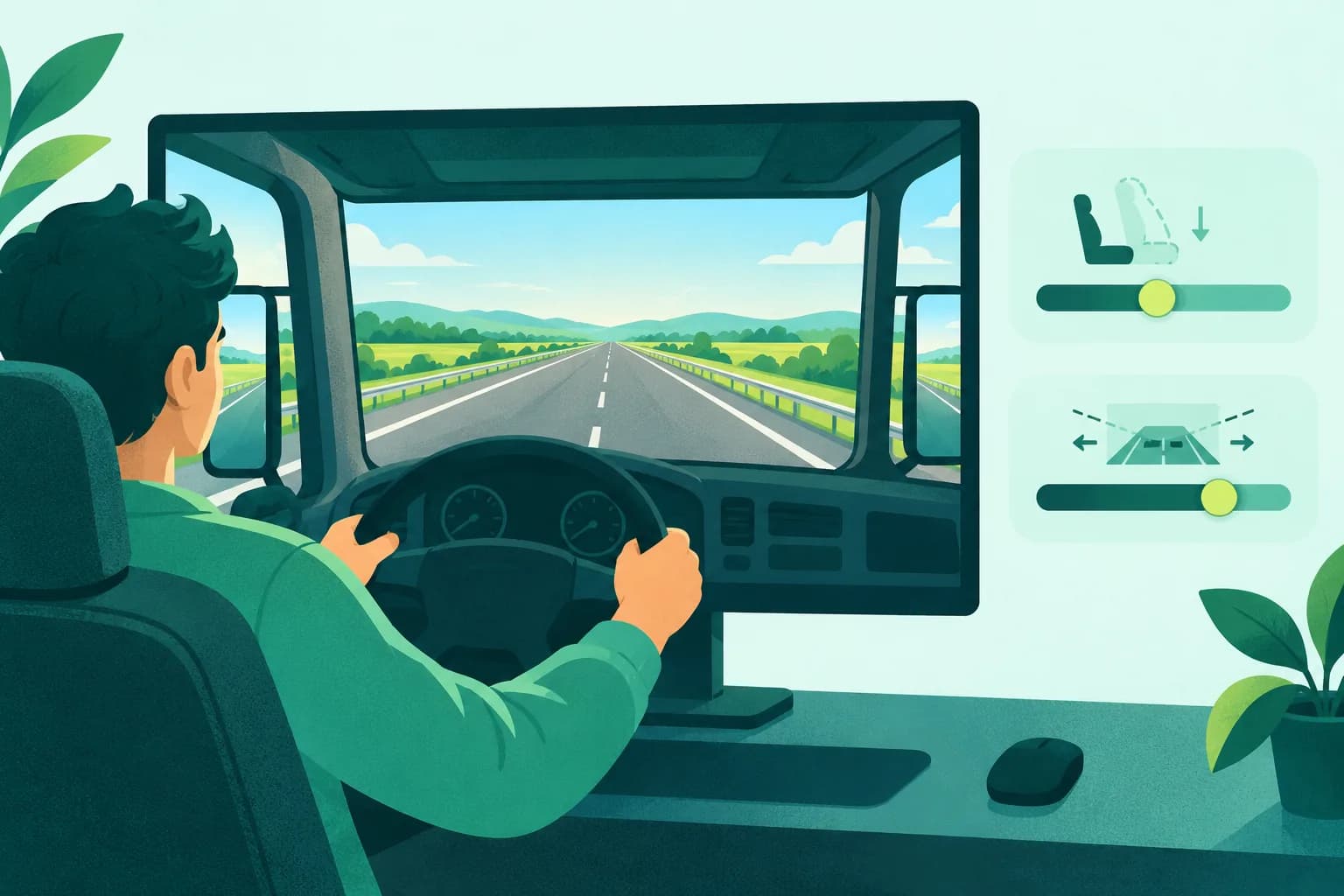
The cab view sways with the truck. Braking dips the camera, bumps bounce it, and the cabin frame fills most of the screen while it happens, so your eyes get continuous small motion your body never feels. Two things make ETS2 sneakier than an ordinary driving game. Sessions are long by design, hundreds of real-time kilometres, so mild symptoms have time to build into real ones. And the default field of view is set for atmosphere rather than comfort, tight enough that the sway reads bigger than it is. Both have official levers, which puts this game on the fixable side of the cluster.
- Seat sway and brake dive from Physical Camera Movement, on by default
- A tight default in-cab field of view that magnifies the sway
- The panning main menu background, reported on the official forum as a trigger by itself
- Multi-hour hauls where mild symptoms accumulate into strong ones
Before your next session with Euro Truck Simulator 2, have Dizzout ready
Calm game nausea
Dizzout runs on your phone: pause, move your headphones over and press play, with relief in about 90 seconds. It plays precisely calibrated audio through any headphones you already own, wired or Bluetooth. Free to download.
Get your personalized Dizzout plan. Paid subscription for full access.
30,000+ travelers in 30+ countries · How we count

On your phone? Scan to start there.
Comparing apps first? See how the motion sickness apps compare
Comfort settings in Euro Truck Simulator 2
Euro Truck Simulator 2 ships a full set of comfort settings.
| Setting | Where | Recommendation |
|---|---|---|
| Physical Camera Movement | Options > Gameplay, camera settings | Off, or drag the slider down. This is the checkbox that stops the seat swaying over bumps and diving under braking |
| In-cab field of view | Press F4 up to three times to open Seat Adjustment, then change FOV with the N and M keys | Widen it until the cab stops feeling like a tunnel. Note that quick jobs reset the camera to defaults; the value saves properly once you drive a truck you own |
| Multi-monitor field of view | config.cfg, the uset r_multimon_fov_horizontal value | For triple-screen rigs, SCS documents the horizontal FOV config officially, so wide setups do not need to live with the single-screen value |
How do I turn off physical camera movement in Euro Truck Simulator 2?
In Euro Truck Simulator 2, open Options > Gameplay, camera settings, and set Physical Camera Movement to Off, or drag the slider down. This is the checkbox that stops the seat swaying over bumps and diving under braking.
One guide explains these settings for every game: how field of view, motion blur, head bob and camera shake trigger motion sickness.
Know someone who gets motion sick?
Send them the app that helps stop it, drug-free, in about 90 seconds, works with any headphones. Free to download.
What helps beyond the settings
- Make both camera changes in one stop, then judge them over a full delivery rather than a minute
- Watch the road and mirrors, not the dashboard, so your eyes hold the stable far field
- Break long hauls at rest stops in real life too, before symptoms settle in
- A drug-free sound-therapy app like Dizzout is designed to help once symptoms have started, through any headphones, and truckers already wear them for the radio
The fixes people reach for once they step away from the screen are covered separately, with the trials attached: the remedy verdicts.
Frequently asked questions
How do I change the field of view in Euro Truck Simulator 2?
Press F4, up to three times, until the Seat Adjustment options appear, then use the N and M keys to change the field of view along with the seat position. It is the least discoverable comfort setting in the game. One catch players confirm: quick jobs restore default values, so your field of view only sticks once you are driving a truck you own.
How do I stop the cab swaying in ETS2?
Turn off Physical Camera Movement in the gameplay camera settings. It is the checkbox and slider controlling how the camera rocks over uneven road and dips under braking, and off removes the effect rather than reducing it. Players on the SCS forum and Steam consistently name it as the change that made long hauls comfortable.
Why does even the ETS2 menu make me feel off?
The main menu runs a slow panning background, and a slow pan across a big screen is real optical flow, the same signal that makes some people queasy in panning drone videos. Players have raised exactly this on the official forum. Once you are driving, the in-cab settings above take over; for the menu itself, looking at the UI panels rather than the moving background is the practical answer.
Other game motion-sickness guides
Sources & further reading
Your next question, probably
Can you build tolerance?
Graded exposure, honestly assessed, so you can keep playing
Not your question? Is it your screen or your headset?
Based on publicly reported player experiences and each game's documented settings, as of September 2026. Settings menus change with updates, so check your version. Game names are trademarks of their respective owners; Dizzout is not affiliated with or endorsed by them. Motion-sickness sensitivity varies by person, so this is informational, not a game review or a substitute for a doctor's advice.