
PEAK Motion Sickness: Why It Happens & What Helps
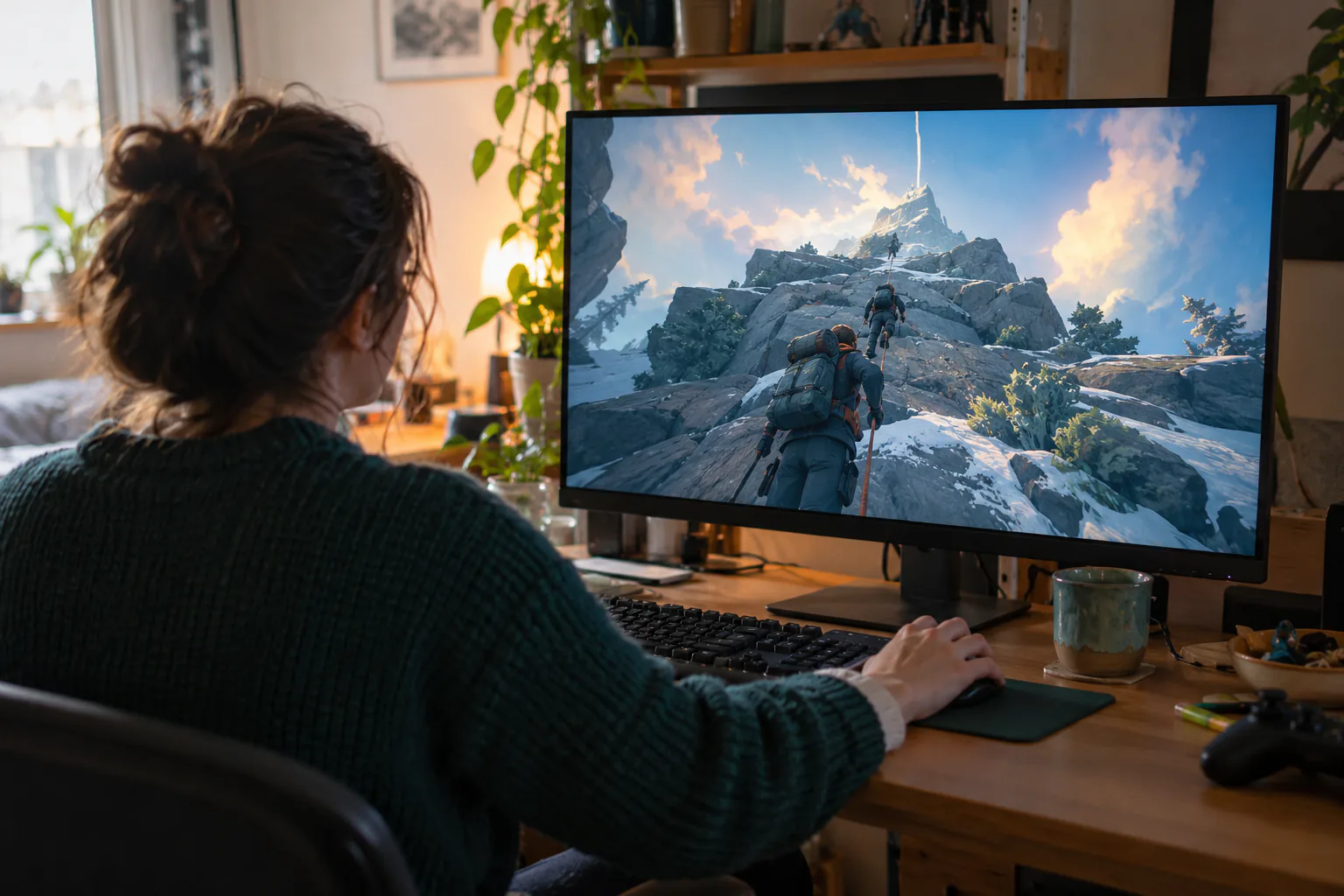
PEAK is a co-op climbing game whose camera bobs and sways more or less constantly, and the bob comes from the engine rather than from an effect layered on top. Its comfort settings grew through 2025: a Reduce Camera Bobbing option, a field-of-view slider, a separate climbing FOV slider and a photosensitivity mode. Players commonly report the bob setting helps partially rather than fully.
Before your next session with PEAK: Dizzout runs on your phone: pause, move your headphones over and press play, with relief in about 90 seconds.Starts in your browser · works with any headphones
Calm game nausea. Get your personalized Dizzout plan. Paid subscription for full access.

On your phone? Scan to start there.
PC · third-person · Partial settings · Player-reported motion-sickness risk: one of the most commonly reported triggers in gaming.
- Low
- Moderate
- High
- Very high
Risk levels summarise what passengers and riders commonly report, not measured testing.
Key facts
- PEAK runs on PC.
- The camera is third-person.
- Player reports place it in the high band for motion sickness.
- The game ships some comfort settings, but not a full set.
- It sits at number 13 in our ranking of the 20 games players report most for motion sickness.
Why PEAK can trigger motion sickness
The camera follows a physics-driven climber, so it moves with every hold, slip and swing instead of gliding smoothly, and the game's own wiki describes the bob-reduction setting as a workaround for exactly that reason. On top of it sits an FOV kick: Climbing Extra Field Of View defaults to 40 on a base of 70, so your view widens and narrows as you climb. Third person does not make a game safe, and PEAK is the clearest case on this list. As of August 2026 the comfort settings are Reduce Camera Bobbing (off by default, main menu only, added in v1.8 on July 21, 2025), Field Of View (60 to 100, default 70), Climbing Extra Field Of View (0 to 50, default 40, added in v1.10.a on July 30, 2025) and Photosensitivity Mode (added in v1.27.a on August 27, 2025), which lessens screenshake among other effects.
- Constant camera bob from the physics-driven climbing, not an effect you can peel off
- The climbing FOV kick, 40 on top of a base of 70 by default
- Screenshake, which only the photosensitivity mode lessens
- Long unbroken climbs with no still moments
Take the co-op break together
For adult players: leave the controllers behind and pause together. Keep separate ordinary headphones ready if either of you chooses Dizzout.
Free to download. Paid subscription for full access.
30,000+ travelers in 30+ countries · How we count

On your phone? Scan to start there.
Comparing apps first? See how the motion sickness apps compare
Comfort settings in PEAK
PEAK ships some comfort settings, but not a full set.
| Setting | Where | Recommendation |
|---|---|---|
| Reduce Camera Bobbing | Main menu settings only, added in v1.8 (July 21, 2025) | On. It is off by default and cannot be changed mid-run, so set it before you join |
| Field Of View | Settings | Raise from the default 70 toward 100, the top of the range |
| Climbing Extra Field Of View | Settings, added in v1.10.a (July 30, 2025) | Lower it from the default 40 toward 0 to flatten the FOV kick while climbing |
| Photosensitivity Mode | Settings, added in v1.27.a (August 27, 2025) | On if shake bothers you. It lessens screenshake among other effects |
| StableCamera mod | Thunderstore (PC) | The community fallback when the built-in settings are not enough |
Where is the reduce camera bobbing setting in PEAK?
In PEAK, open Main menu settings and set Reduce Camera Bobbing to On. It is off by default and cannot be changed mid-run, so set it before you join.
How do I change the field of view in PEAK?
In PEAK, the Field Of View setting is in Settings. Raise it from the default 70 toward 100, the top of the range.
Where is the climbing extra field of view setting in PEAK?
In PEAK, the Climbing Extra Field Of View setting is in Settings. Lower it from the default 40 toward 0 to flatten the FOV kick while climbing.
Where is the photosensitivity mode setting in PEAK?
In PEAK, open Settings and set Photosensitivity Mode to On if shake bothers you. It lessens screenshake among other effects.
One guide explains these settings for every game: how field of view, motion blur, head bob and camera shake trigger motion sickness.
Know someone who gets motion sick?
Send them the app that helps stop it, drug-free, in about 90 seconds, works with any headphones. Free to download.
What helps beyond the settings
- Set Reduce Camera Bobbing from the main menu before you join a run. It is not available mid-climb
- Climb in shorter sessions and let someone else lead the awkward sections
- Stop at the first queasy signal rather than finishing the ascent
- A drug-free sound-therapy app like Dizzout is designed to help once symptoms start, through the headset you are already using for voice chat
The fixes people reach for once they step away from the screen are covered separately, with the trials attached: the remedy verdicts.
Frequently asked questions
Why does PEAK make me motion sick if it is third person?
Third person is not protection. The camera tracks a physics-driven climber, so it bobs and sways with every hold and slip, and the climbing FOV kick widens and narrows the view as you go. Your eyes get continuous motion your inner ear never feels, which is the same mismatch first-person games cause.
Where is the PEAK motion sickness setting?
Reduce Camera Bobbing sits in the main menu settings and cannot be changed once you are in a run, so set it before you join. It is off by default and was added in v1.8 on July 21, 2025. Also lower Climbing Extra Field Of View from 40, raise Field Of View from 70, and turn on Photosensitivity Mode if shake bothers you. All as of August 2026.
Is there a PEAK mod for motion sickness?
Yes. StableCamera on Thunderstore stabilizes the camera for players the built-in settings do not cover. Try the official options first, since they need no mod manager and work in any lobby, and keep in mind PEAK patches often, so check what the settings menu holds in your version.
Other game motion-sickness guides
Sources & further reading
Your next question, probably
Can you build tolerance?
Graded exposure, honestly assessed, so you can keep playing
Not your question? Is it your screen or your headset?
Based on publicly reported player experiences and each game's documented settings, as of July 2026. Settings menus change with updates, so check your version. Game names are trademarks of their respective owners; Dizzout is not affiliated with or endorsed by them. Motion-sickness sensitivity varies by person, so this is informational, not a game review or a substitute for a doctor's advice.