
Motion sickness from watching gameplay: why it happens and what helps
First-person camera swings, sprint bob and fast turns are driven by another player, so you cannot predict the motion the way the person on the controller can, and losing that predictability is why spectating can feel worse than playing. There is no setting on the viewer side, so the fixes are a smaller, farther screen, a lit room and breaks.
Cameras and footage · No built-in setting for this
Key facts
- Watching gameplay can feel worse than playing because you cannot predict a camera another player is driving.
- Predictability normally softens motion sickness, and spectating removes it.
- There is no viewer-side setting; the in-game comfort options belong to the player and live in the gaming cluster.
Try Dizzout free. It runs on your phone, not on the machine you are playing on. Drug-free, and it works once symptoms start.Free · works with any headphones · no account to try
Ease screen motion sickness. Free to try, no card needed. Or go straight to the App Store or Google Play.
 Scan to open on your phone
On a computer? Dizzout installs on your phone. Scan the code, or open dizzout.com/get on your phone and it'll take you straight to the right store.
Why watching can feel worse than playing
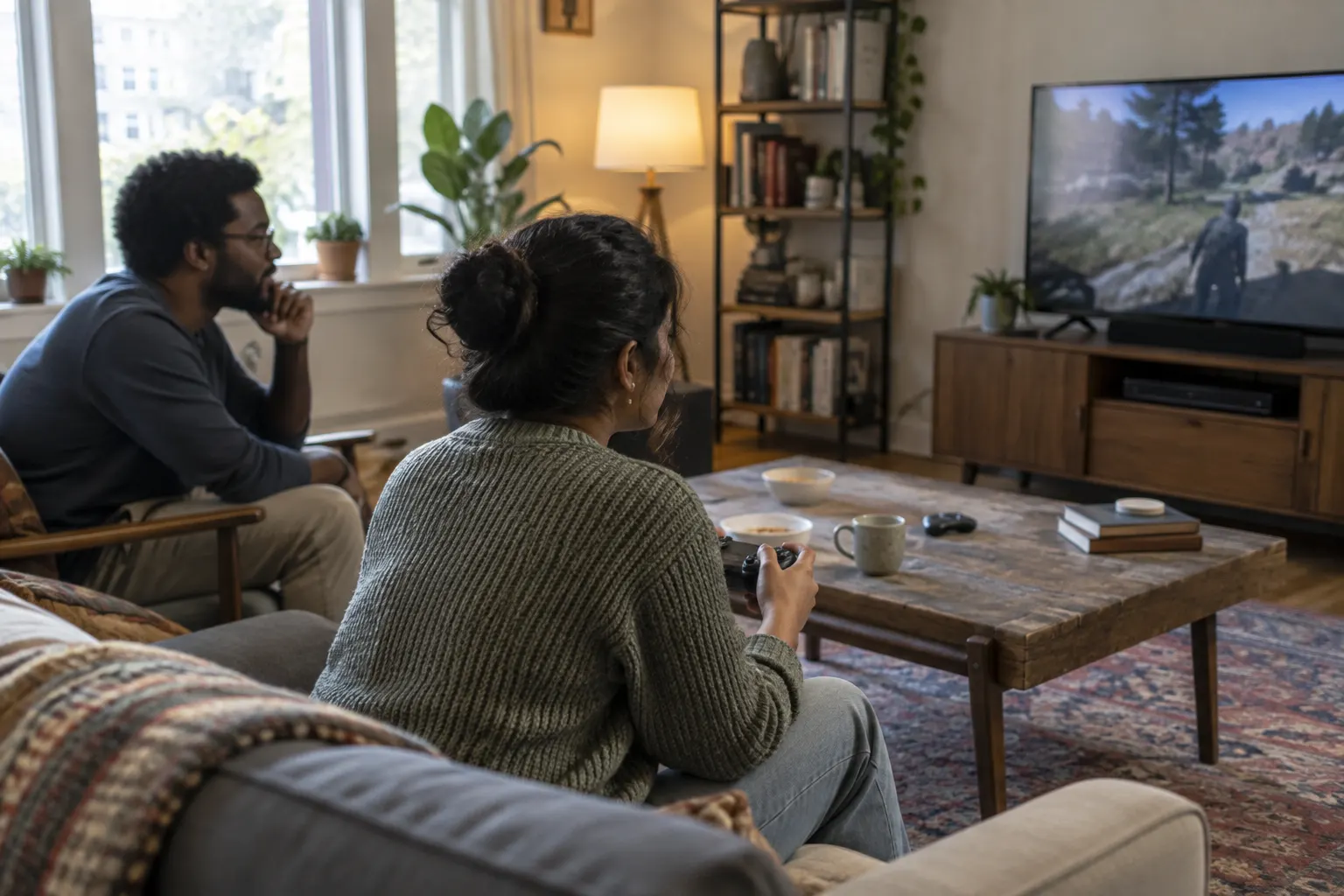
A first-person camera swings, bobs and turns under someone else's control, so you cannot anticipate the motion the way the player holding the controller can. Predictability normally softens motion sickness, and watching takes it away, which is why spectating a game can feel worse than playing the same game yourself.
What actually helps
There is no built-in setting for this. There is no setting on the viewer's side. The in-game comfort options that would help belong to the person holding the controller, not to you watching, so the fixes here are about how you watch.
- Watch on a smaller or farther screen, so the game motion fills less of your vision.
- Keep the room lit and take breaks before nausea builds.
- If you control the stream, ask the player to lower in-game camera shake, motion blur and field of view.
- For the settings that actually help the player, see the gaming cluster.
See also: Minecraft motion sickness settings.
Frequently asked questions
Why do I get motion sick watching someone play a game?
Because the first-person camera is driven by another player, so you cannot anticipate the swings, sprint bob and fast turns the way they can. Predictability is part of what keeps the player comfortable, and watching removes it, so spectating can feel worse than playing. Your eyes read the motion while your body stays still, which is the usual conflict.
How do I stop feeling sick watching gameplay or streams?
Watch on a smaller or farther screen so the motion fills less of your vision, keep the room lit, and take breaks. If it is your own stream or a friend's, ask the player to turn down in-game camera shake and motion blur and lower the field of view. Those in-game fixes are covered in our gaming cluster.
Which games are hardest to watch?
First-person shooters are the usual answer, because of head bob, fast turns and a camera whipping around under someone else's hands. Heavy camera shake, motion blur and a wide field of view all add to it, and survival and parkour games with a lot of climbing come up often. Third-person games and anything with a fixed or slow camera are far easier to spectate.
Does watching on my phone instead of the TV help?
It can, though it is distance rather than the device doing the work. What sets you off is how much of your field of view is filled with motion, so a phone at arm's length fills less of it than a large TV a few feet away. Moving your chair back from the TV gets you the same result. A phone held close to your face does not.
If watching games makes me sick, will VR be worse?
Probably, though it is not a rule. A headset fills your whole field of view and adds head tracking, so the same first-person camera motion arrives with nothing else for your eyes to see. People who are sensitive to spectating often find VR stronger. If you want to try it, start with seated, slow experiences and short sessions rather than anything with free movement.
Set up before your next session with Motion sickness from watching gameplay
Put it on your phone
Dizzout runs on your phone, not on the machine you are playing on. Install it now, and when you next feel it starting, move the headphones you are wearing over to your phone and press play. Drug-free, and it works once symptoms have already begun.
Free to try, no card needed. Or go straight to the App Store or Google Play.
Scan to open on your phoneOn a computer? Dizzout installs on your phone. Scan the code, or open dizzout.com/get on your phone and it'll take you straight to the right store.
Know someone who gets motion sick?
Send them the app that helps stop it, drug-free, in about 90 seconds, works with any headphones. Free to try.
More screen triggers
Related
- What cybersickness isThe screen version of motion sickness, and the three symptom groups it comes in.
- Does your phone have a motion sickness setting?Which makers built one in, and what the built-in features cannot do.
- VR motion sickness (headset version)Why headsets trigger it, the comfort settings that help most, and how to build tolerance.
- Video game motion sickness, by gameThe 20 games players report most, each with the settings that help.
Your next question, probably
Does your phone have the setting?
iPhone, Samsung and Pixel, and what each one cannot do
If that is not your question:
Settings paths were checked at the makers' own support pages and at MDN as of August 2026, where a first-party source exists; the rest is labelled reported and dated. Device menus change with software updates and vary by model, so your own settings menu is the final word. Apple, Samsung, Sony, LG, TCL, Roku, Vizio, Amazon, TikTok, Instagram, Google and DJI are trademarks of their respective owners; Dizzout is not affiliated with or endorsed by them. Sensitivity varies from person to person; this page is informational and not medical advice.