
Action cam footage motion sickness: why it happens and what helps
Action cameras are strapped to helmets, chests and bikes, so raw footage swings and bounces with every movement, and watching that unstabilized wide-angle motion on a screen is one of the strongest handheld triggers short of FPV. The stabilization setting lives in the camera app or your editor, not the operating system, so the fix is to watch the steadied version.
Cameras and footage · No built-in setting for this
Key facts
- Raw action cam footage swings and bounces with the wearer, one of the strongest handheld triggers short of FPV.
- There is no operating-system setting; stabilization is in the camera app or editor.
- Watching the stabilized version rather than the raw clip, on a smaller screen at a distance, is the fix.
Try Dizzout free. It runs on your phone, not on the machine you are playing on. Drug-free, and it works once symptoms start.Free · works with any headphones · no account to try
Ease screen motion sickness. Free to try, no card needed. Or go straight to the App Store or Google Play.
 Scan to open on your phone
On a computer? Dizzout installs on your phone. Scan the code, or open dizzout.com/get on your phone and it'll take you straight to the right store.
Why raw action cam footage does it
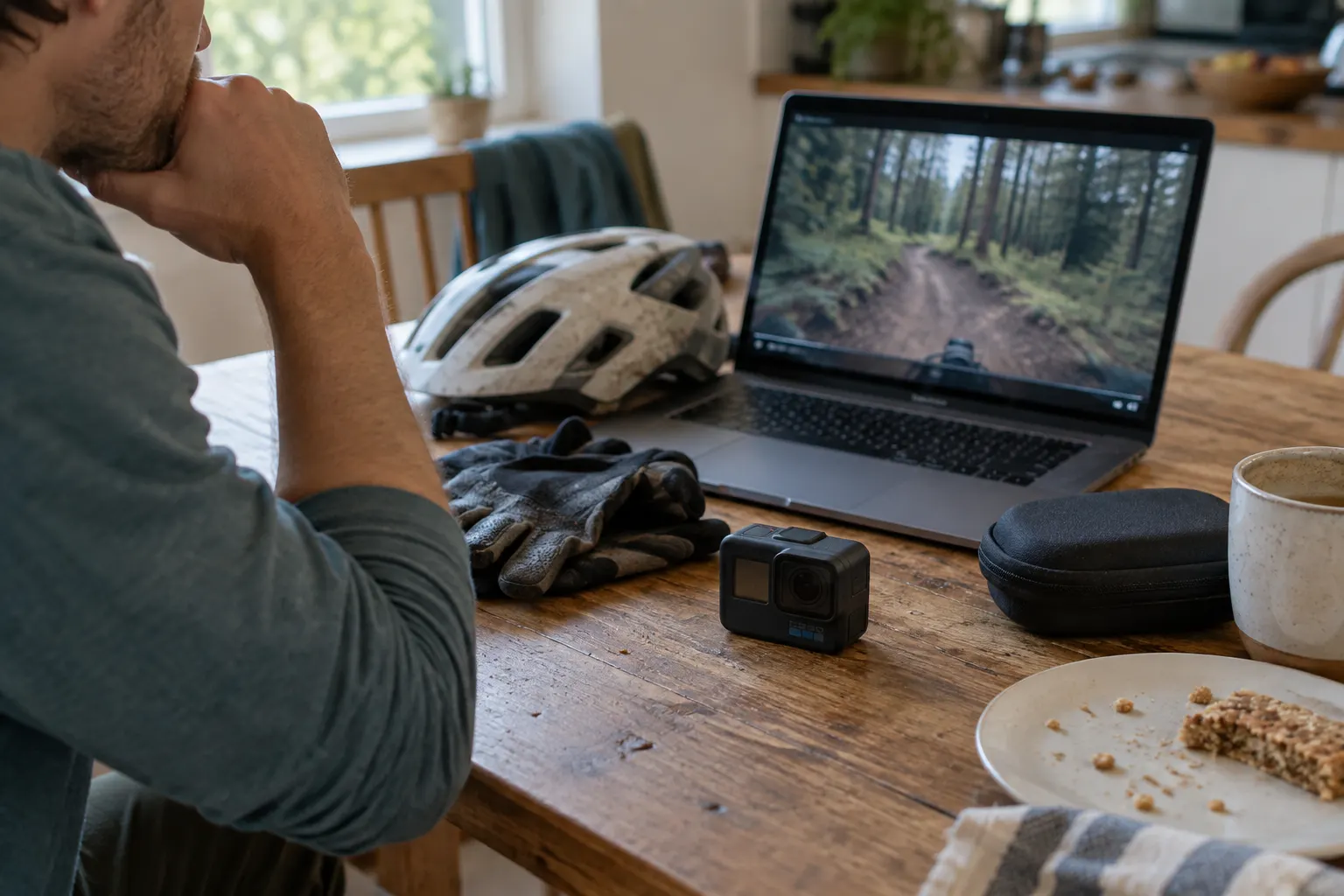
Action cameras ride on helmets, chests and bikes, so raw footage swings and bounces with every movement the wearer makes. Watching that unstabilized wide-angle motion on a screen is one of the strongest handheld triggers there is, short of FPV, because the whole frame moves in ways your body never did.
What actually helps
There is no built-in setting for this. There is no operating-system setting. Stabilization lives in the camera app or your editor, so the fix is to watch the steadied version of a clip rather than the raw one.
- Turn on in-camera or in-app stabilization so the footage steadies, and watch the stabilized version rather than the raw clip.
- Use a smaller screen at a distance instead of letting the footage fill your vision.
- Keep the room lit and take breaks.
- This overlaps heavily with editing footage, so the same workflow habits apply.
Frequently asked questions
Why does GoPro footage make me feel sick?
Action cameras are mounted on helmets, chests and bikes, so raw footage swings and bounces with every move the wearer makes. Watching that unstabilized wide-angle motion on a screen moves the whole frame in ways your body never did, which is a strong version of the usual visual conflict, close to FPV. Stabilized footage is far easier to watch.
How do I make action cam footage easier to watch?
Turn on in-camera or in-app stabilization and watch the steadied version rather than the raw clip. Use a smaller screen at a distance instead of filling your vision, keep the room lit, and take breaks. The stabilization setting lives in the camera app or your editor, not in the operating system, so there is no phone or computer toggle for it.
Does stabilization stop the nausea, or just look nicer?
It removes a large part of the trigger, not all of it. Stabilization takes out the shake and the roll, which is the fast motion your eyes struggle with most, but the camera still travels the path the rider took, so a fast descent still reads as self-motion. Stabilized footage is much easier to watch than raw. It is not the same as a static shot.
Does the wide-angle lens make it worse?
For this, yes. The widest lens settings push a lot of moving scenery into the edges of the frame, and peripheral motion is what the brain reads most strongly as self-motion. Shooting or reframing to a narrower field of view makes footage noticeably easier to watch, at the cost of the wide look.
Why does my footage make other people queasy when it does not bother me?
You were there. You felt the matching motion at the time and you know what happens next, and both take the edge off in a way they cannot for someone seeing it cold. Anyone watching gets the visual half of a ride they did not take and cannot predict. It is worth a warning before you show someone a long raw clip.
Set up before your next session with Action cam footage motion sickness
Put it on your phone
Dizzout runs on your phone, not on the machine you are playing on. Install it now, and when you next feel it starting, move the headphones you are wearing over to your phone and press play. Drug-free, and it works once symptoms have already begun.
Free to try, no card needed. Or go straight to the App Store or Google Play.
Scan to open on your phoneOn a computer? Dizzout installs on your phone. Scan the code, or open dizzout.com/get on your phone and it'll take you straight to the right store.
Know someone who gets motion sick?
Send them the app that helps stop it, drug-free, in about 90 seconds, works with any headphones. Free to try.
More screen triggers
Related
- What cybersickness isThe screen version of motion sickness, and the three symptom groups it comes in.
- Does your phone have a motion sickness setting?Which makers built one in, and what the built-in features cannot do.
- VR motion sickness (headset version)Why headsets trigger it, the comfort settings that help most, and how to build tolerance.
- Video game motion sickness, by gameThe 20 games players report most, each with the settings that help.
Your next question, probably
Does your phone have the setting?
iPhone, Samsung and Pixel, and what each one cannot do
If that is not your question:
Settings paths were checked at the makers' own support pages and at MDN as of August 2026, where a first-party source exists; the rest is labelled reported and dated. Device menus change with software updates and vary by model, so your own settings menu is the final word. Apple, Samsung, Sony, LG, TCL, Roku, Vizio, Amazon, TikTok, Instagram, Google and DJI are trademarks of their respective owners; Dizzout is not affiliated with or endorsed by them. Sensitivity varies from person to person; this page is informational and not medical advice.